
Owning a smooth entertainment platform right on your handheld device delivers an exceptional experience for the betting community. If you are searching for an official and safe PH8 app download method, this article is your perfect handbook.
We bring detailed information to help you install the application successfully in just a few minutes, opening up a premier entertainment world anytime and anywhere without encountering any barriers. Let us explore the step-by-step instructions tailored specifically for the local market.
Why Install and Use the PH8 Mobile Application?
The growth of mobile technology has completely altered entertainment habits among modern users in the region. Instead of accessing through web browsers on computers, using the PH8 mobile application yields numerous superior benefits:
- Smooth Speed: The PH8 app is individually optimized for smartphone lines, helping minimize lag and network congestion during peak hours.
- Maximum Convenience: Allows you to participate in entertainment experiences anytime, anywhere, requiring only an internet connection on your mobile phone.
- Instant Information Updates: Receive prompt updates on promotional programs, major events, and system news in the fastest manner.
Detailed PH8 App Download Methods for All Devices
Bookmaker PH8 has developed optimized versions for both of today’s most popular operating systems to meet all player needs. Below is the step-by-step PH8 app download guide.
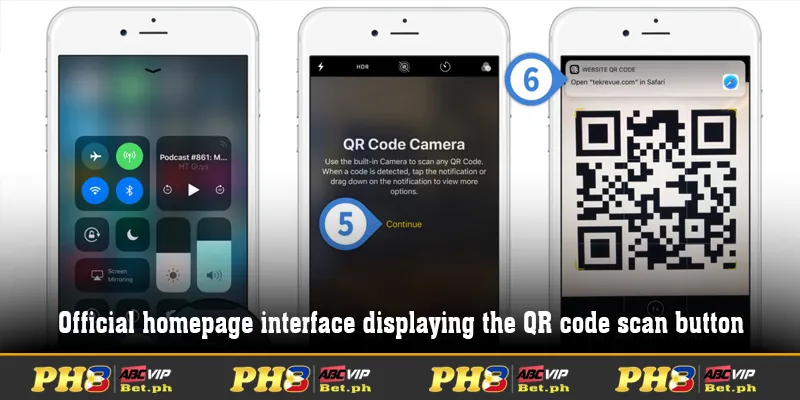
PH8 App Download Guide for iOS Operating System
Apple devices always demand strict security procedures. Therefore, installing the application on iOS needs to adhere to precise standard operations.
- Step 1: Use the Safari browser on your iPhone to access the official homepage: https://ph8bet.ph/
- Step 2: Click on the app download section and select the PH8 app download option to scan the QR code or receive a compatible link.
- Step 3: After the system notifies download completion, enter “General Settings” (General) -> “Device Management” to grant trust permissions for the app.
- Step 4: Return to your home screen, open the application icon, and log into your account to begin experiencing the game.
Detailed Steps to Download the PH8 App for Android Devices
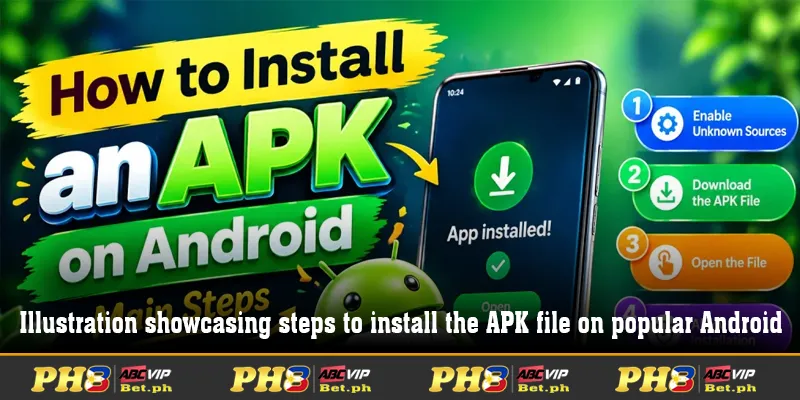
The Android operating system possesses higher open flexibility, helping players easily execute the application installation process with just a few simple screen taps.
- Step 1: Access the official website using the Chrome browser on your Android phone.
- Step 2: Select the download section and click on the PH8 app download link to download the installation file in .apk format to your device.
- Step 3: Enter your phone’s security settings, turn on the feature allowing “Install applications from Unknown Sources”.
- Step 4: Open the recently downloaded file, proceed with installation, and wait a moment to complete the setup process.
Important Notes During PH8 App Download
Although the PH8 app download process takes place very quickly and conveniently, players should still keep in mind several core points to ensure the setup process encounters no issues:
- Access Authentic Sources: Always retrieve app download links from the official homepage to avoid confusion with fake links.
- Check Storage Capacity: Ensure your phone has sufficient free memory space for smooth file download and setup operations.
- Ensure Stable Network Connection: Use high-speed Wi-Fi or 4G networks throughout the download process to avoid file interruption errors.
Technical support team available 24/7 ready to answer app installation inquiries.
Conclusion
Installing the mobile application is the key to optimizing your online entertainment experience in the safest, most convenient, and fastest way. Hopefully, this article has provided complete information alongside a clear, detailed PH8 app download guide tailored specifically for the Philippine market.